More filters give you further useful searching ability before resorting to the Query Builder.
More Filters
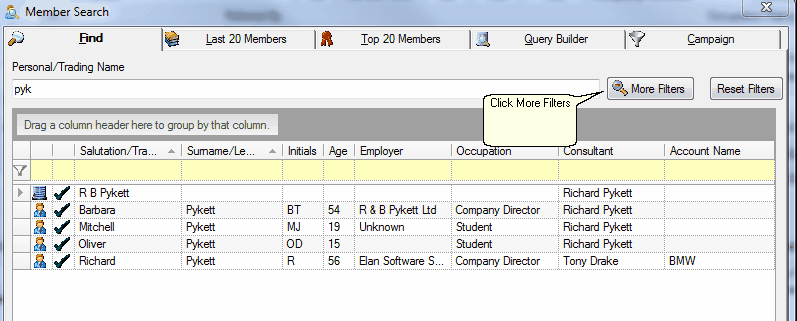
| 1. | In the F3 Search Screen, click on More Filters |

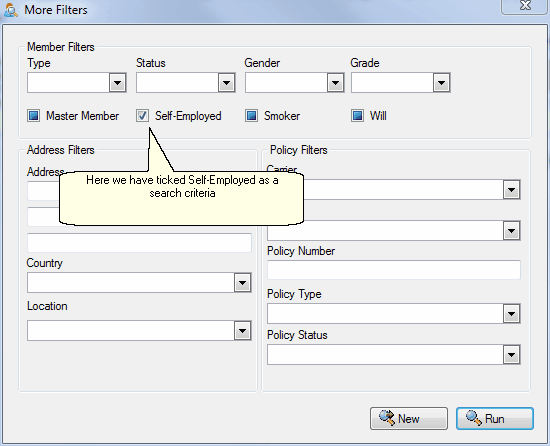
| 2. | In the More Filters window you can set up more complex searches using the various check boxes, drop down lists or address text fields. |

| 3. | More Filters works as a standalone search utility or it can be used in conjunction with the main F3 screen. |
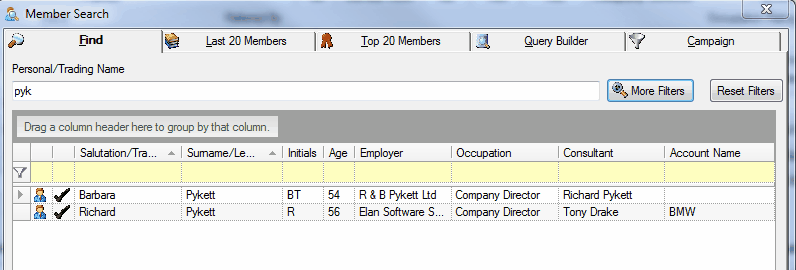
| 4. | Here you can see that using More Filters has narrowed down our results to just the Pyketts who are self-employed. |

| 5. | It's a good idea to press Reset Filters before attempting to run an ordinary F3 search, as it may be that you have a retained search under More Filters |
|
See Also: Query Builder