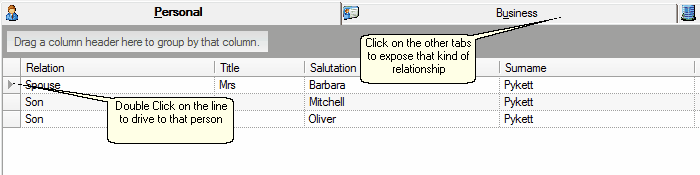
We have now included other client advisers (Doctor, Lawyer, Accountant etc...) in the 4th tab, as these were previously not in a handy place.
View Member Relationships
| 1. | At the bottom of the Conversation Screen you will find 4 tabs containing relationship links to other people or organisations. |
| 2. | You can simply double-click on the end of the relationship line to navigate to that person or organisation. |
| 3. | Over on the right you will now find a 4th Tab for Advisers. |
| 4. | You can interact with the Advisers from here by clicking on their blue contact links. |
| 5. | If you have just added a new relationship and it is not visible here, right click to refresh. |

|
See Also: Member Relationships, Member Addresses